When you are in a session with other musicians, it's sometimes useful to be able to text chat rather than talking - for example, if someone is having trouble with their audio, much like in a Zoom session. It can be even more useful to use a text chat feature before a session happens - to coordinate on scheduling, to talk about what pieces of music you want to play, etc - or to chat after a session has ended - for example, to reconnect with someone you liked playing with in the session. All of these use cases are supported by the chat feature attached to JamKazam sessions.
If you're in an active session, keep an eye from time to time on the Chat button in the session toolbar. If someone sends a chat message, you'll see a red chat message counter displayed, indicating you have unread session messages (pictured below with arrow).
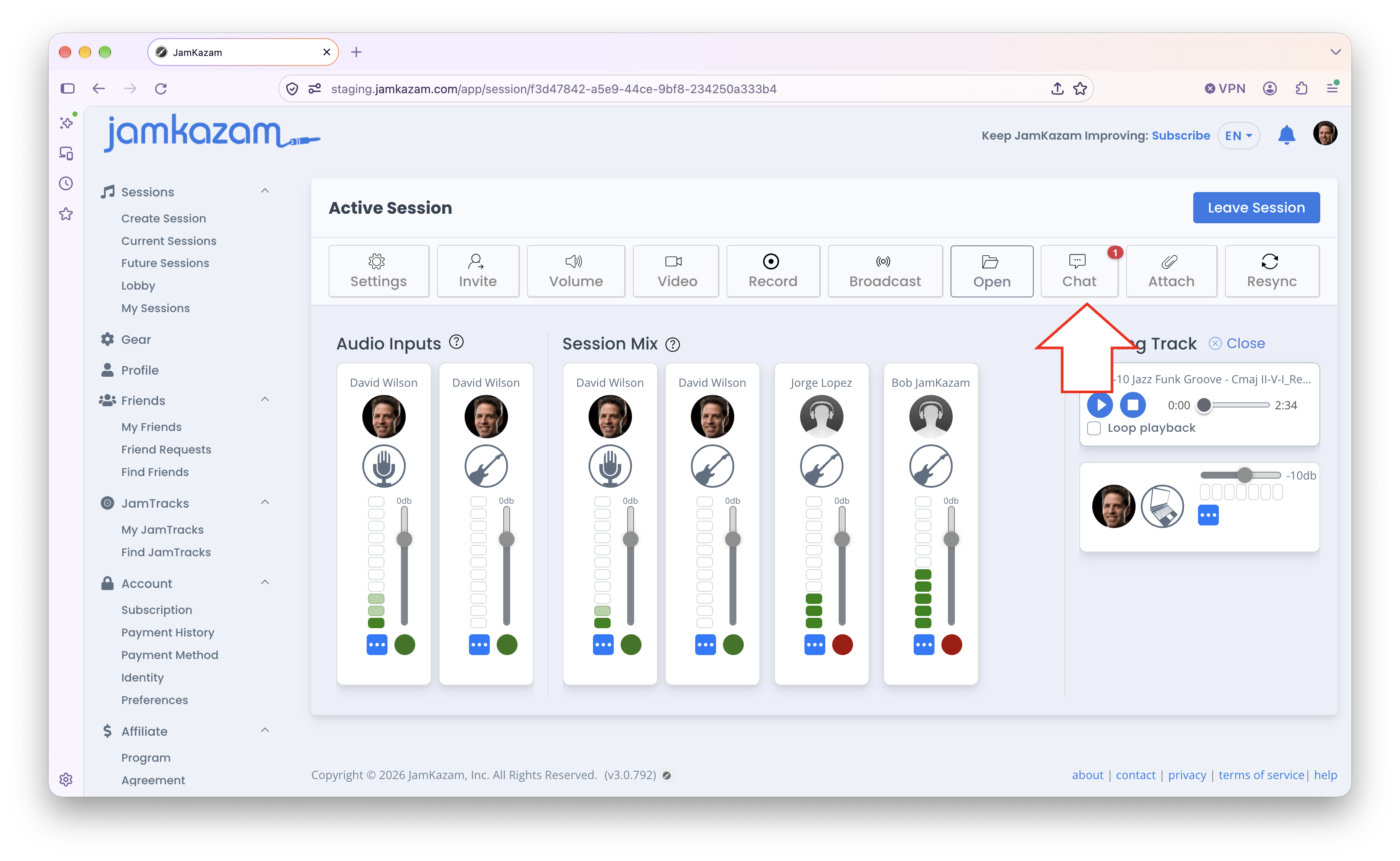
If you click this Chat button, a chat window is displayed.
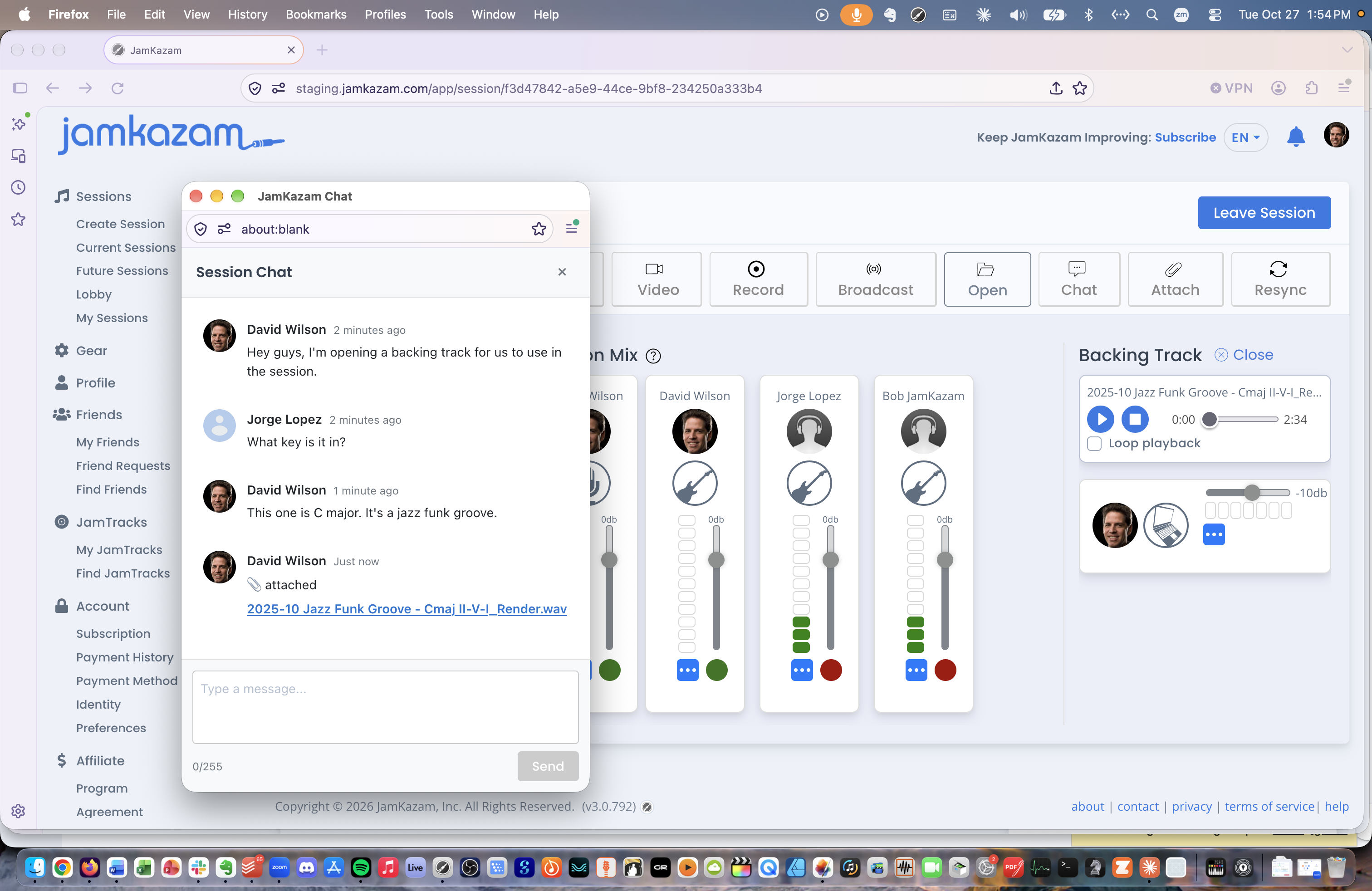
Here you can scroll through and read any chat messages that have been posted for this session. Click where the hint text "Type a message" is displayed to enter a text message, and click the Send button to send your own message. And if any session participants have attached a file (e.g. sheet music, charts, lead sheets, etc), the links to these attachments will be here in the chat window as well.
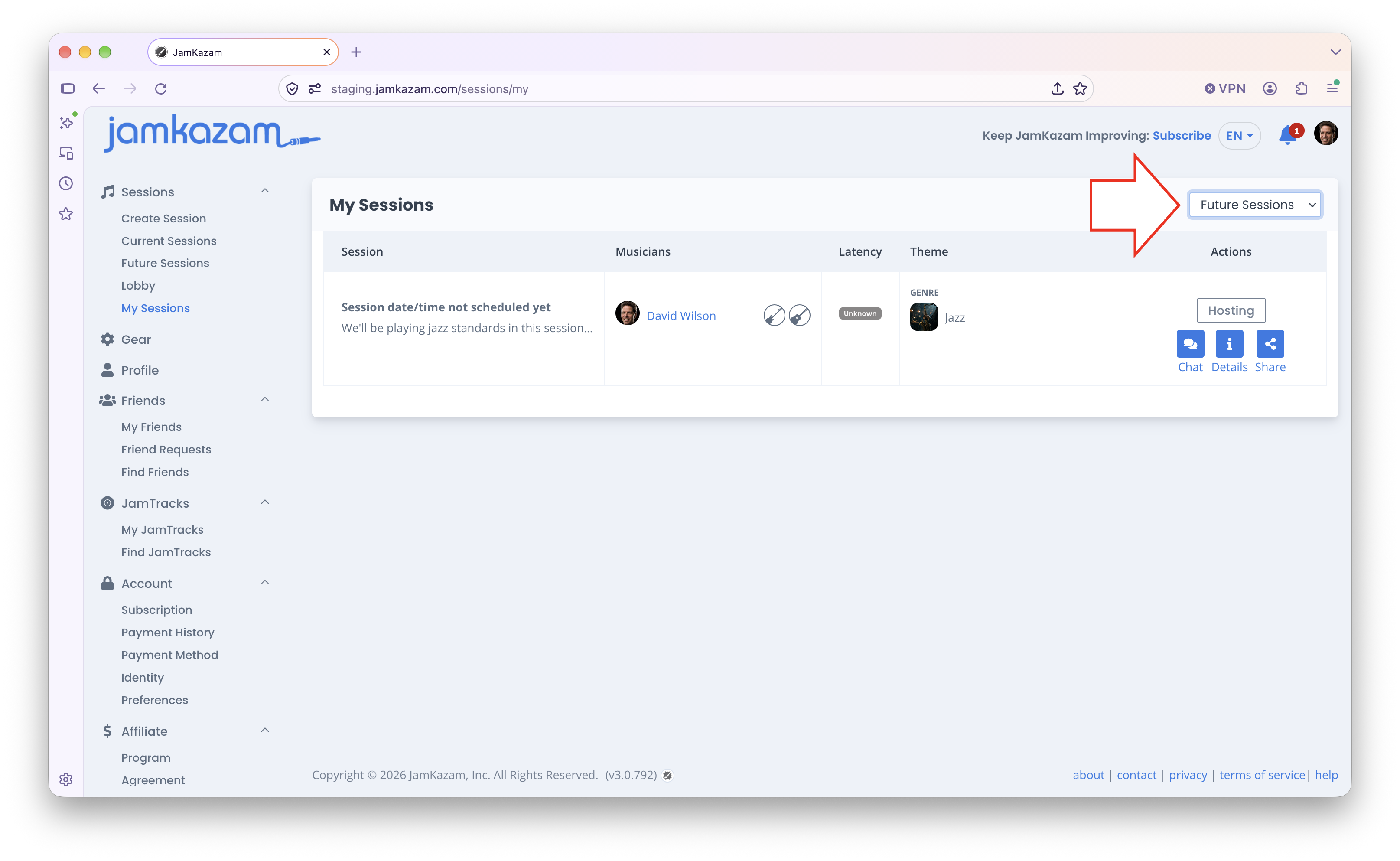
Note that in addition to chatting with others during an active session, you can chat about a future/upcoming session, or even about a past session that has already ended. To find future sessions you're planning to attend or past sessions you joined, click the My Sessions link in the left navigation bar of the JamKazam website, and use the picker control to view either past or future sessions (pictured below with arrow). Click the blue Chat button in the Actions column, and a chat window is displayed.
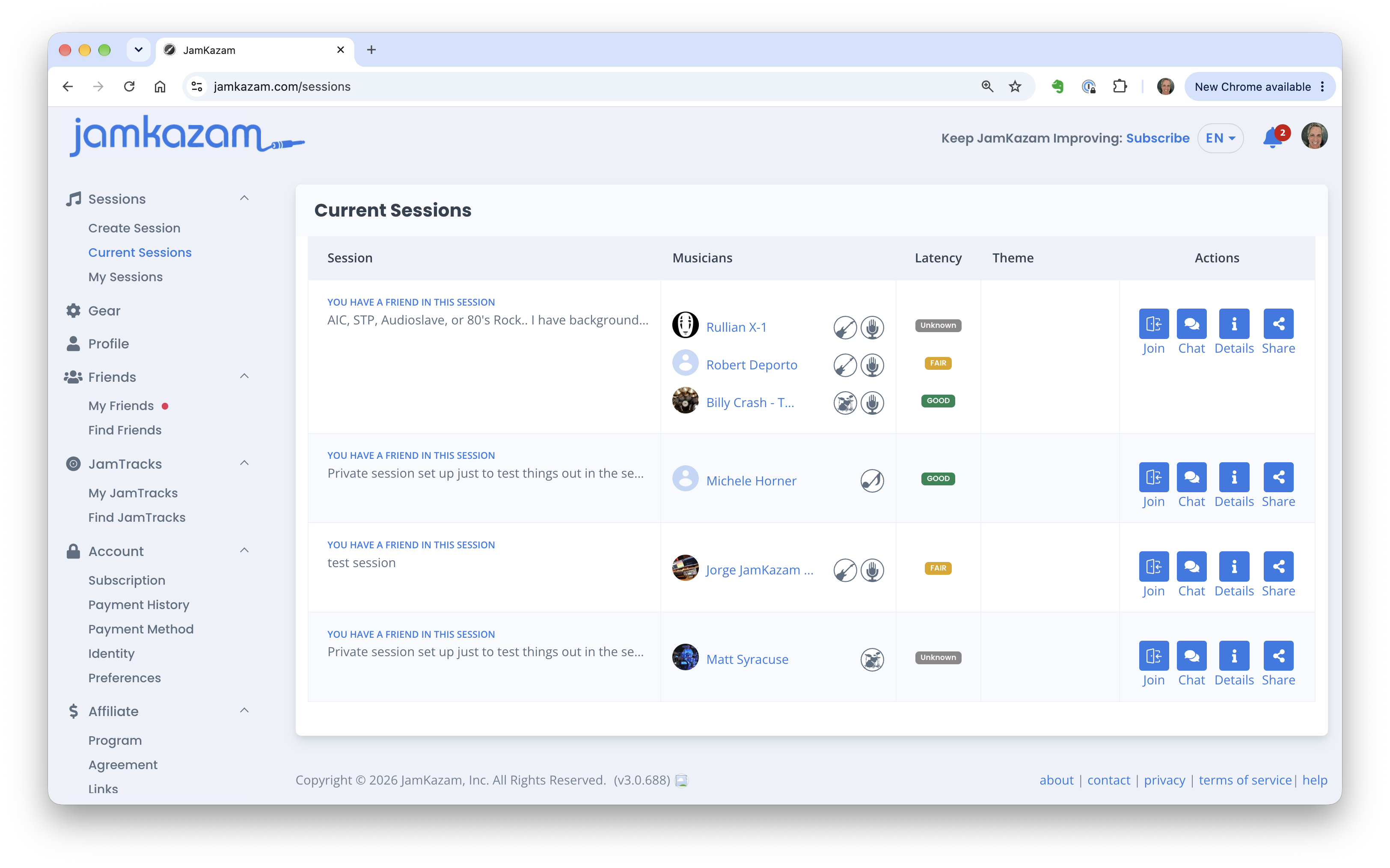
You can also chat with others about current or future sessions when you have not yet indicated you plan to attend these sessions. To do this, click on either Current Sessions or Future Sessions in the left navigation bar. You'll see a list of sessions (pictured below). As above, click the Chat button for to any session where you'd like to chat with the session host and/or any other musicians planning to attend. This may be to check on scheduling, chat about what's going to be played, etc. For past and future sessions, notifications will be generated to the attached musicians so they'll see your message(s).