
You know how sometimes you’re playing in a great session, and you are totally vibing with another musician you don’t know? This happens all the time. Now it's very easy to send them a friend request right there in the session.
To do this, simply click the musician's name at the top of their track (pictured below with arrow).
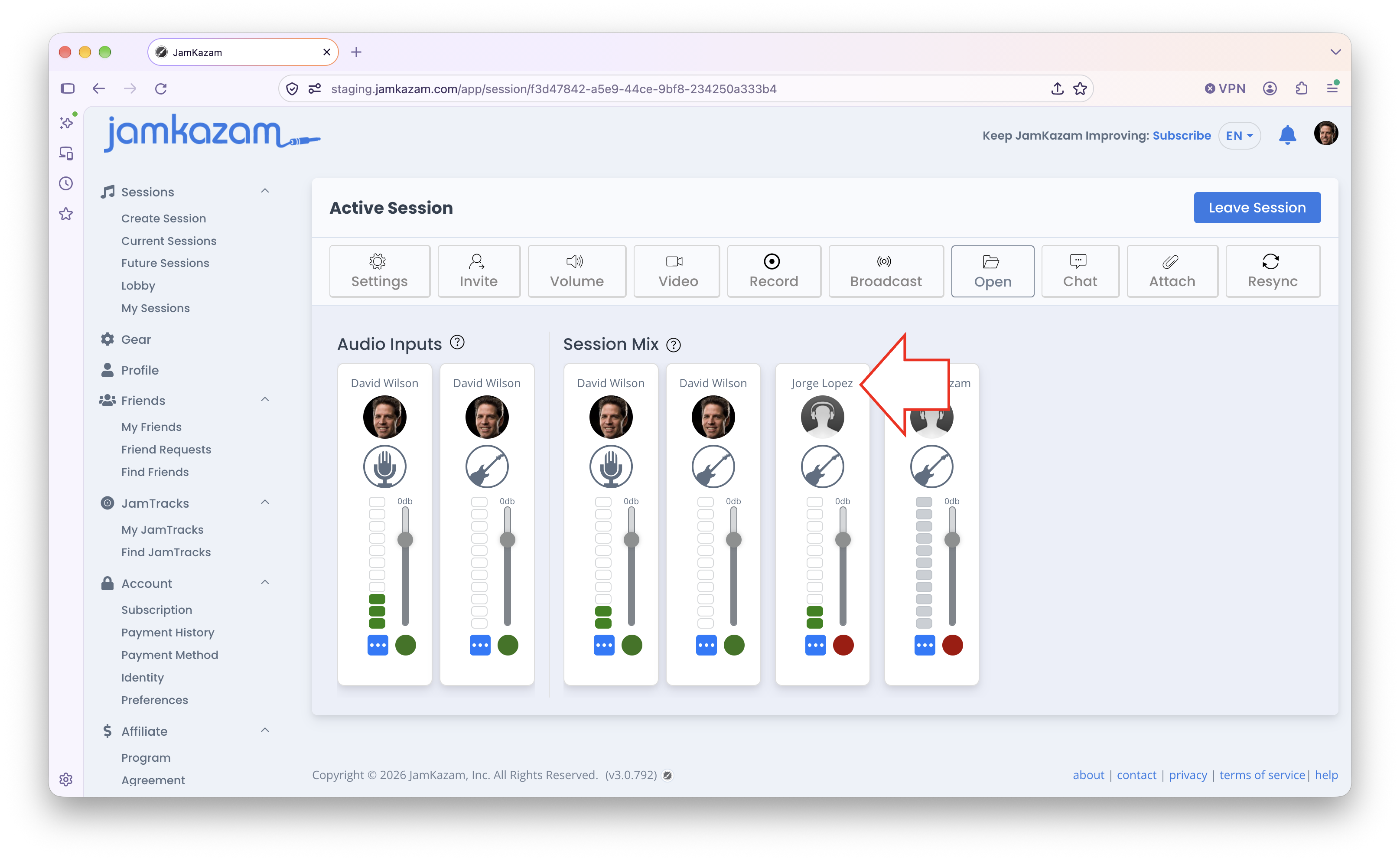
The musician's profile is displayed on the right side of the screen (pictured below).
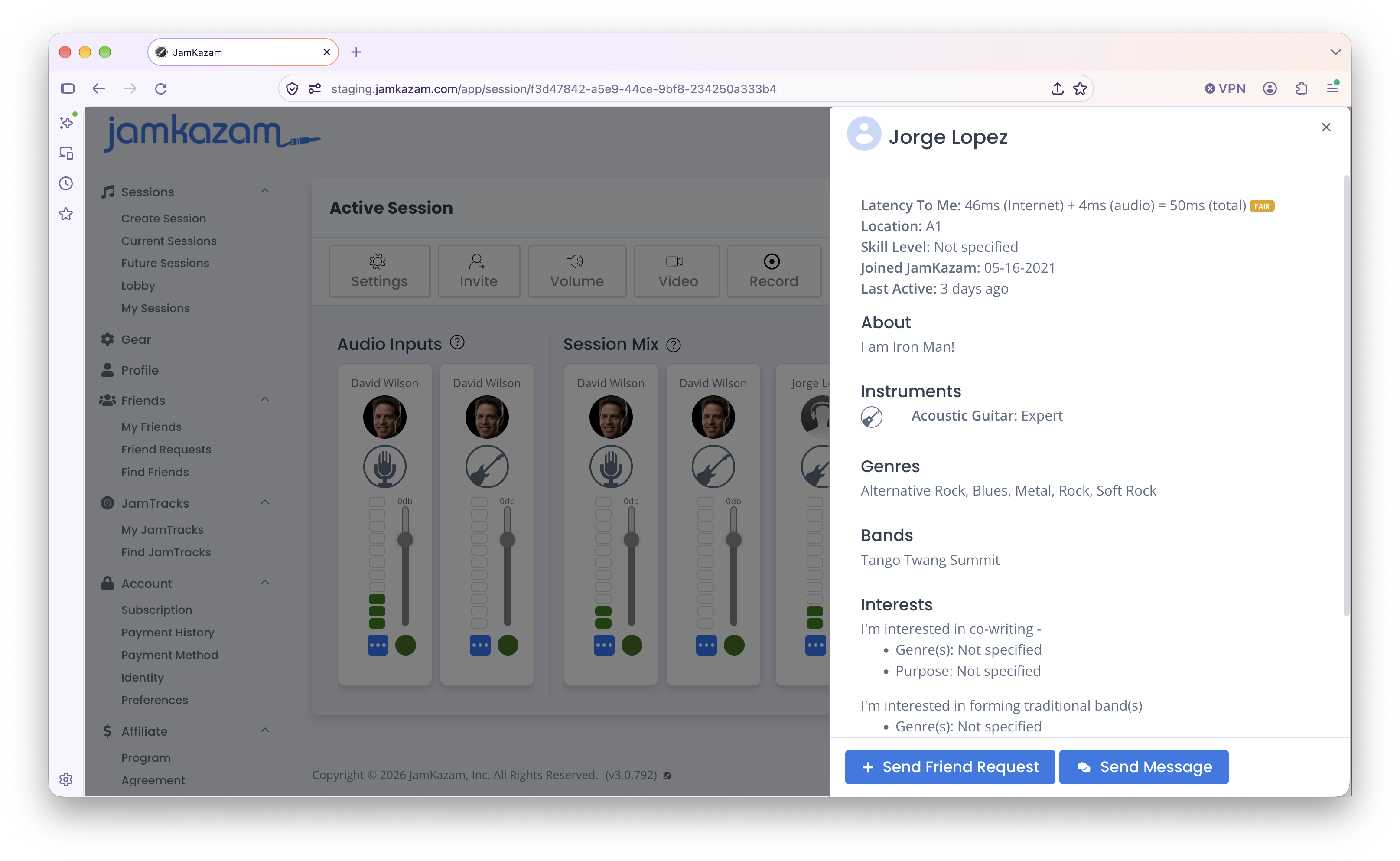
Click the Send Friend Request button at the bottom of the profile, and the request will reach this musician through their JamKazam notifications. You can also click the Send Message button to send them a quick message, reminding them you played together in the session, as they may not see your request notification until later.