
To find current, active JamKazam sessions you may join, go to this URL in your browser: https://www.jamkazam.com/sessions. Or if you are already on the JamKazam website, you may simply click the Current Sessions link in the left navigation bar. In either case, you will see the Current Sessions page (pictured below).
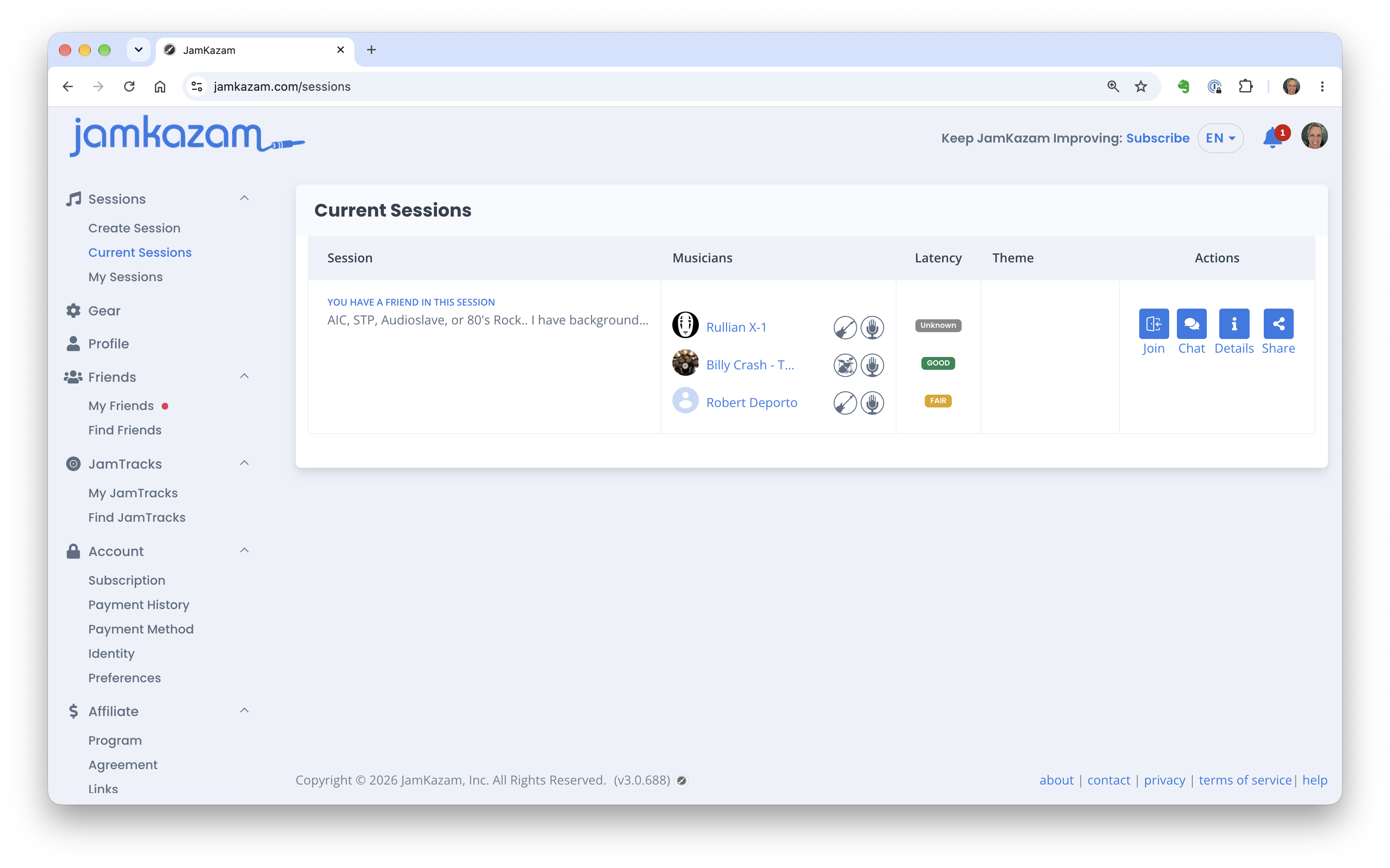
Any sessions particularly relevant to you will be sorted to the top of the session list, including: (a) sessions to which you've been invited, (b) sessions that include one of your JamKazam friends, or (c) sessions that match an artist, song, or genre you've said you like to play on your JamKazam profile.
To get more information about any session, you can:
- Click the musician's name (a blue text link) to see that musician's full JamKazam profile.
- Hover your mouse over an instrument icon next to the musician's name to see what the instrument is if not clear from the icon itself (e.g. electric guitar vs. bass guitar).
- Click the Chat icon to see if any conversations have taken place about the session, either ahead of the session starting or during the session. If you post a chat message here, keep in mind that for a current session, the musicians in the session are likely playing, so it may take them a few minutes to stop, see your chat message, and reply.
- Click the Details icon to see the full session information details.
- Click the Share icon to get a link you can share with others. This will open the Session Details web page in a browser for anyone who uses the link.
To join the session, click the Join icon. If the JamKazam app is already running on your computer in the background, you will instantly join the session. Otherwise, you will receive a prompt to click a button to open the JamKazam app. If it's your first time doing this, you will also likely get a browser prompt asking if you want to let the JamKazam app communicate with other things on your network. Definitely click to allow this, as the JamKazam app needs to communicate with the JamKazam website running in your browser to operate properly.