
Templates are a feature we've built that let you create sessions faster and easier when your sessions have a repeating component. For example, if you have a band practice once a week, you can save a template with the 5 members of your band in the Invitations section, and Access set to Private, and a Description that's the same from one practice session to the next. And then you can open that template to quickly set your next practice session up without having to re-do all of this work.
The Create Session page is pictured below.
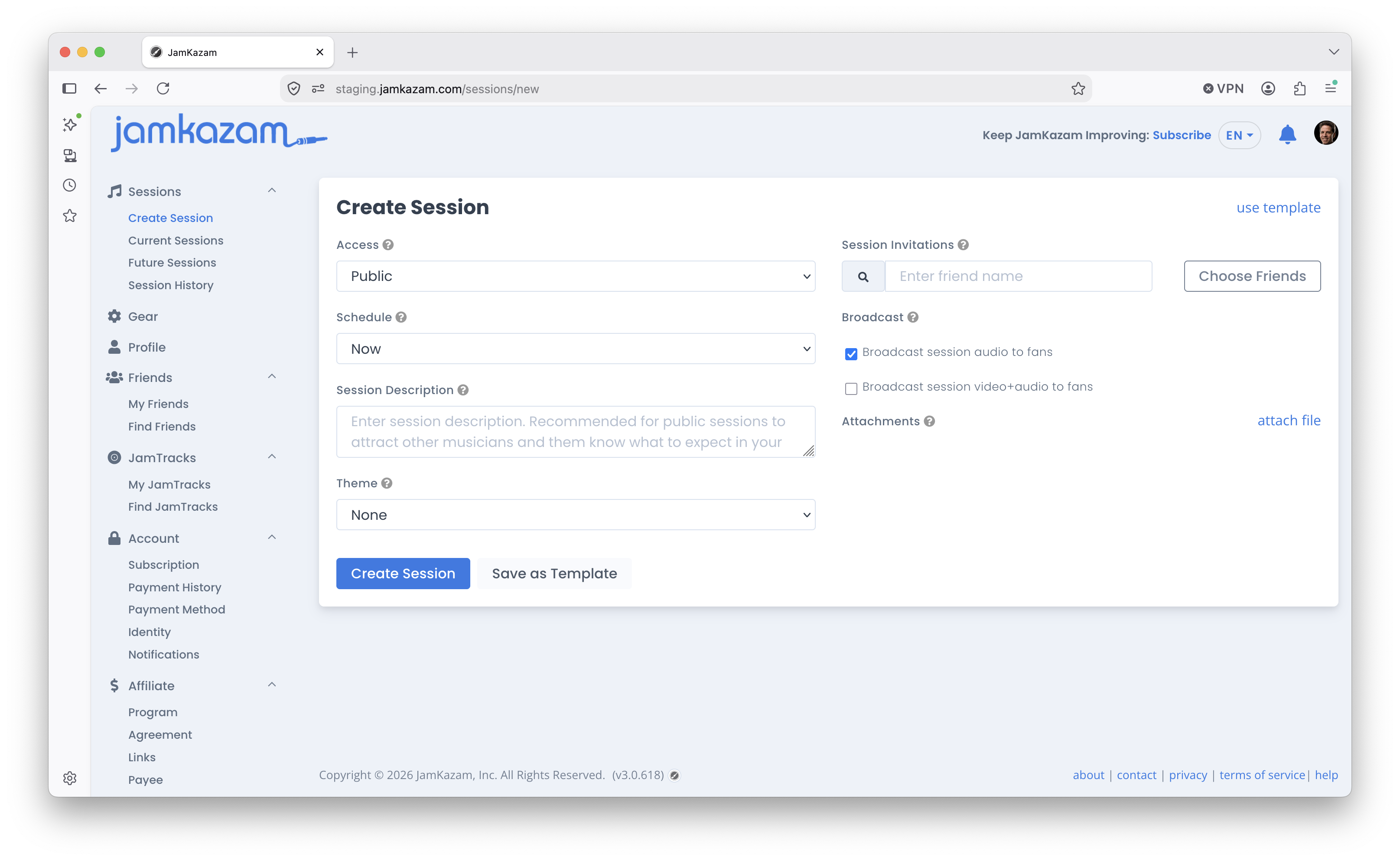
If you've filled out all the information for a session and think you may want to re-use this information in a future session, simply click the "Save as Template" button next to the Create Session button. This opens a dialog box where you can name and save the template, which will carry all the information you've set up on this page.
In the future, if you want to use this (or any other) template, click the "use template" text link at the top right of the page. This opens a dialog box that lists all the templates you have saved. Select a template, and all that template's information is dropped into the page, ready to go. Tweak anything you like, and then click Create Session.