
You may want to share information about a JamKazam session with others for various reasons, for example to let a musician friend know about a session they may wish to play in, or to let fans know about a session they can tune in to watch and/or listen to your group's performance.
Let's say you are creating a new session for a future date/time, like the one in the screenshot below.
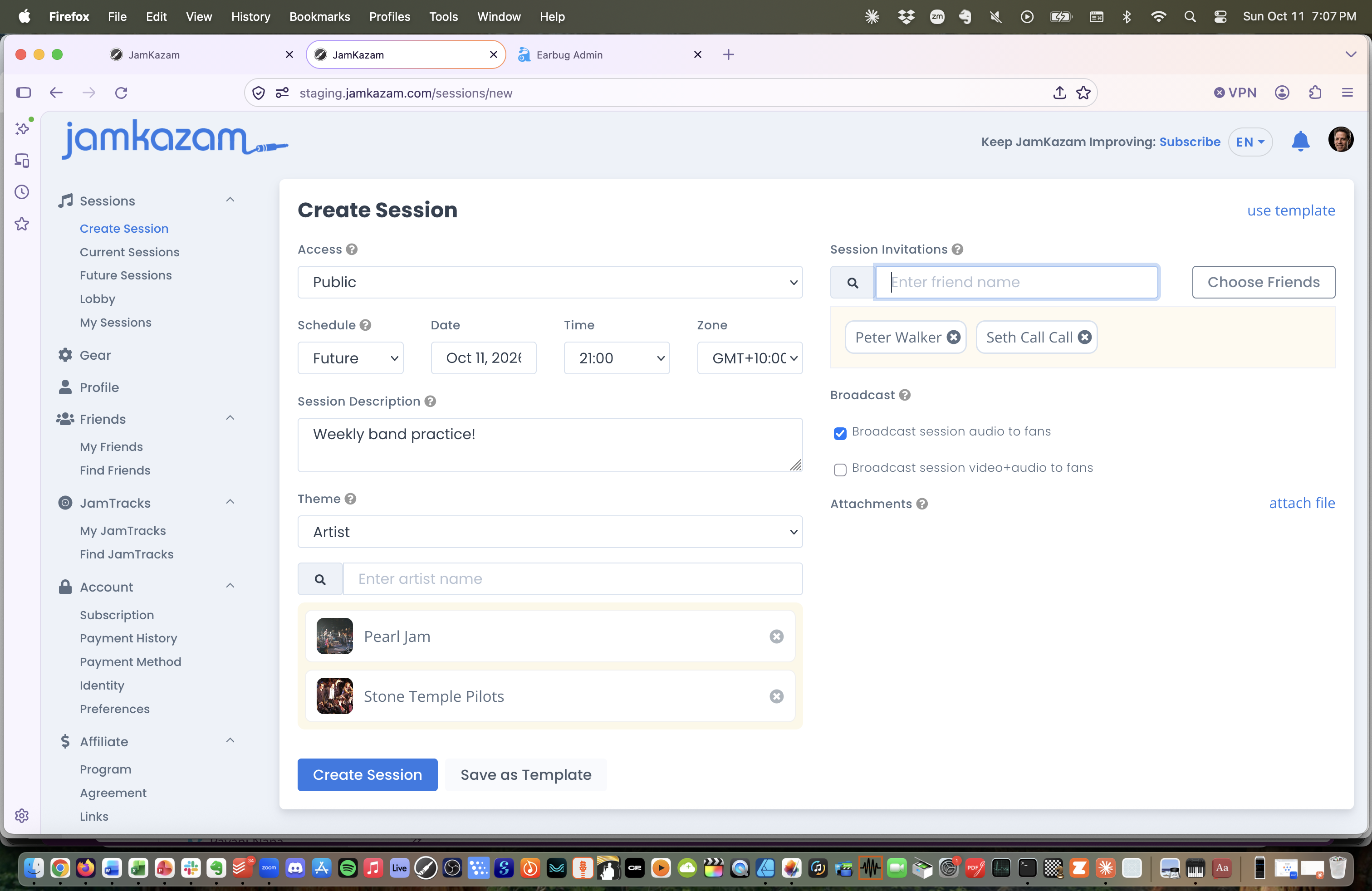
When you click the Create Session button at the bottom of the page, your session is created, and then the Session Details page for this new session is displayed (pictured below).
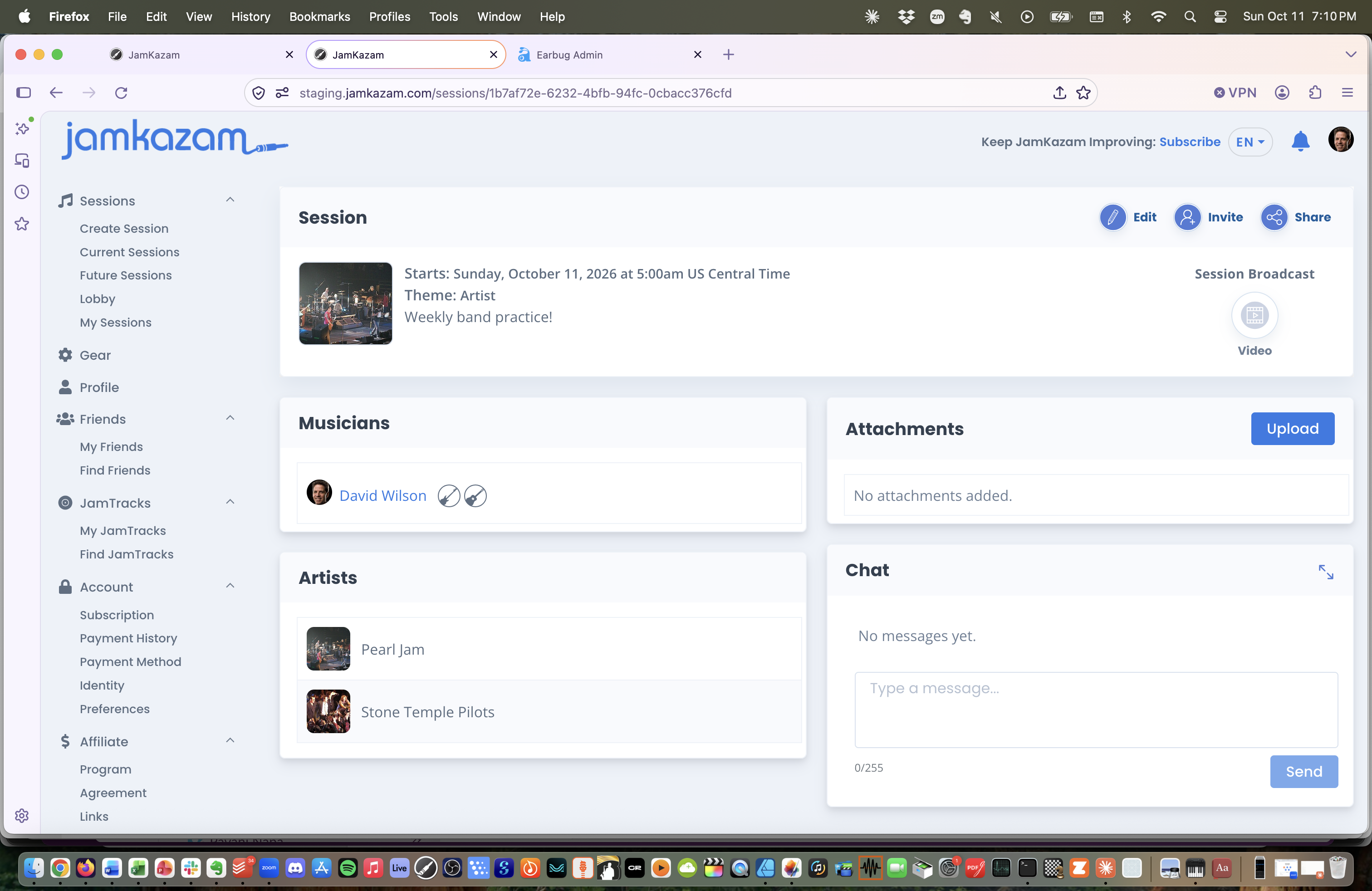
At the top right of the Session Details page above, there is a Share icon and text link. You can click this, and a link to the Session Details page will be copied to the clipboard. You can then paste this link into an email or SMS or other message to the audience with whom you want to share the session information.
If you don't do this right when you create the session, you can always do it later. For example, you can click the My Sessions link near the top of the left navigation bar. This displays the My Sessions page (pictured below).
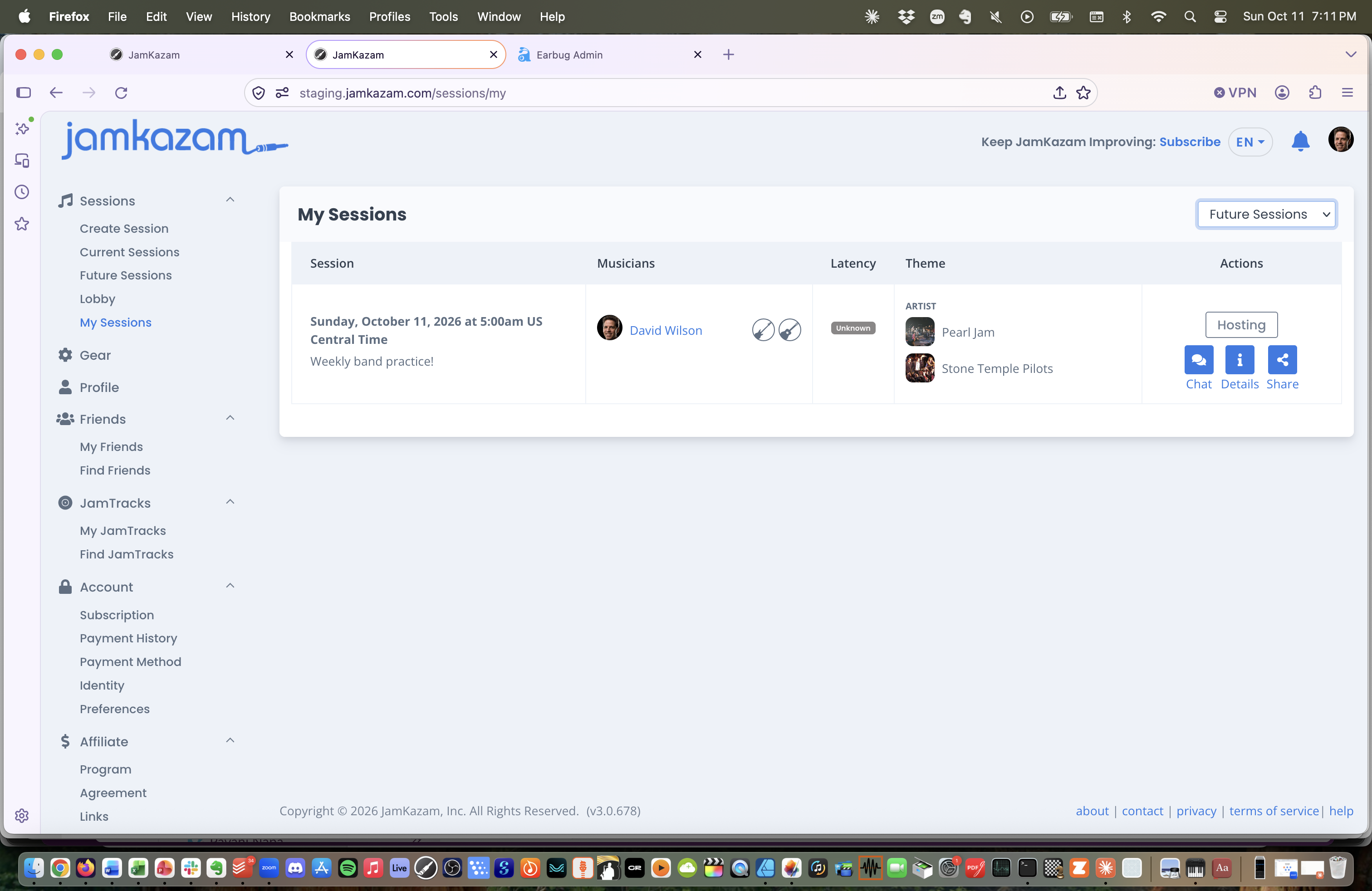
At the top right of this page, there is a list box where you can select Future Sessions (that you are planning to host or join) or Past Sessions (to see past sessions you've already joined and played in). In either case, you can click the Share icon in the Actions column at the right for any session to copy a link to the Session Details page for that session.