A bunch of our help articles in this section of the knowledge base - Connecting With Others - explain how to use various features to connect with people you don't yet know. But sometimes you already know a person, like a bandmate, and you just need to connect as friends on JamKazam quickly and easily.
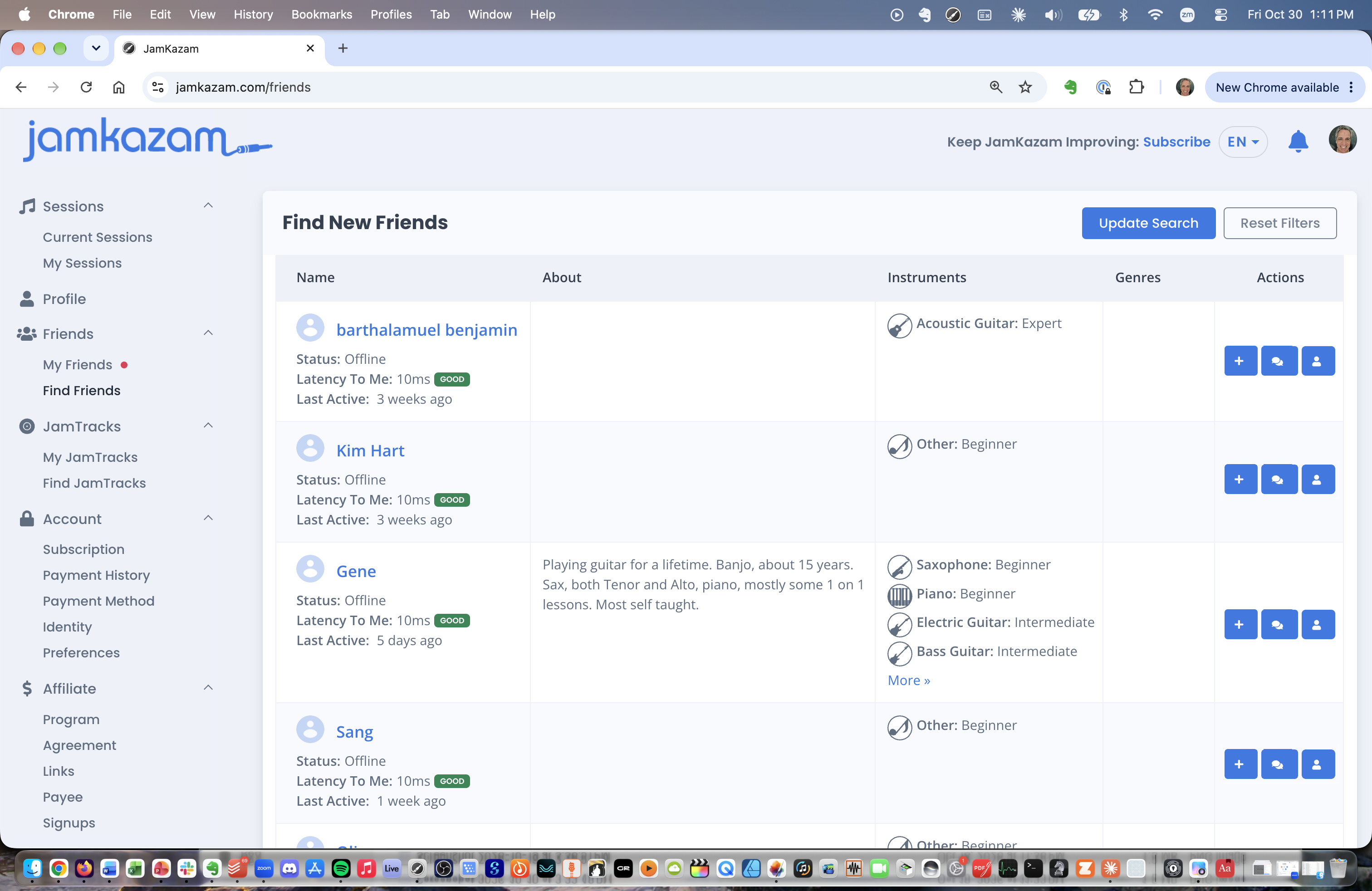
The easiest way to do this is to find them by name. To do this, go to https://www.jamkazam.com/friends, or click the Find Friends option in the left navigation bar. The Find Friends page is displayed (pictured below).
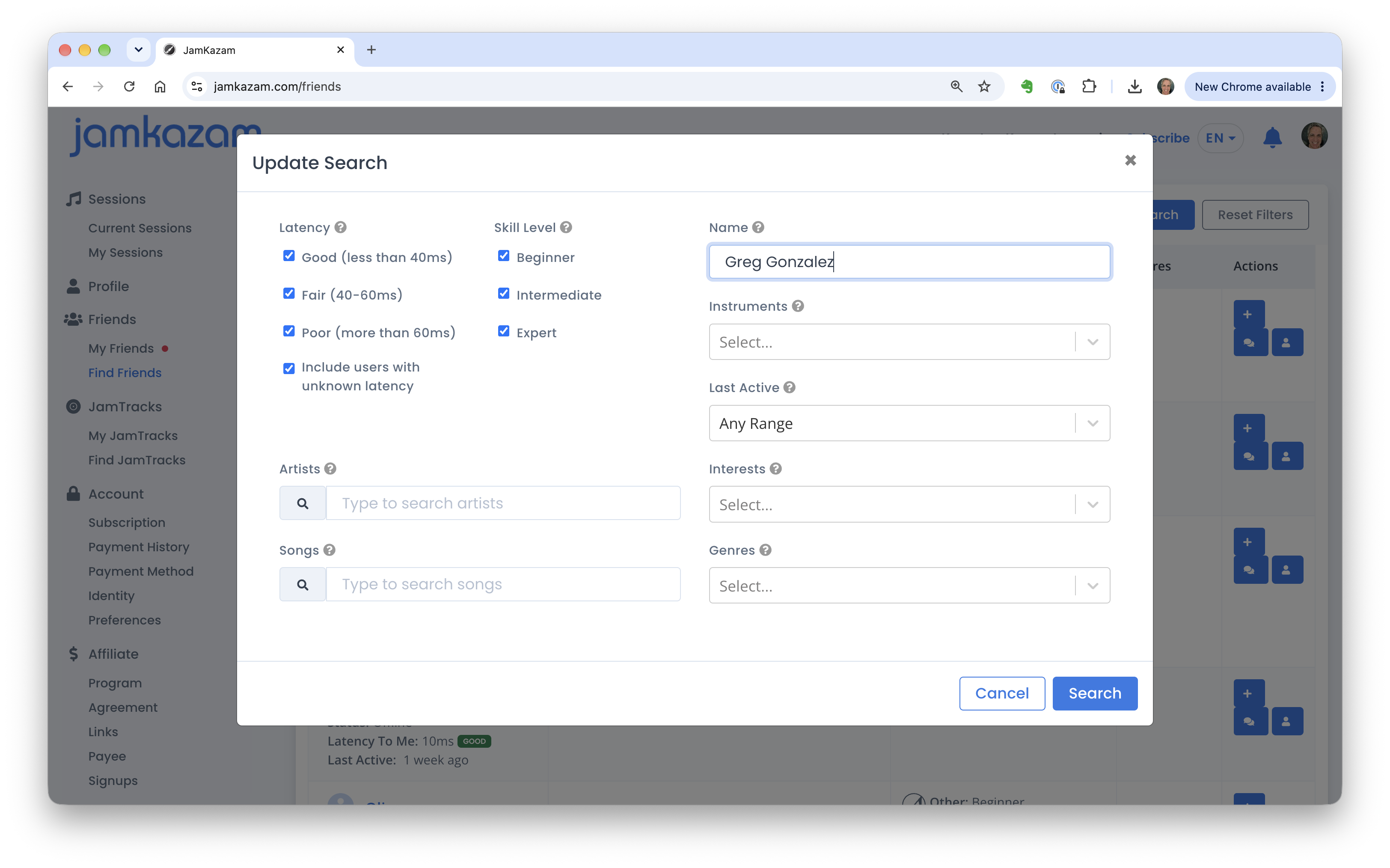
Click the Update Search button at the top right of this page. The search feature is displayed (pictured below). Enter the name of your friend (the name they use on JamKazam, to be clear) into the Name text box. Then click the Search button.
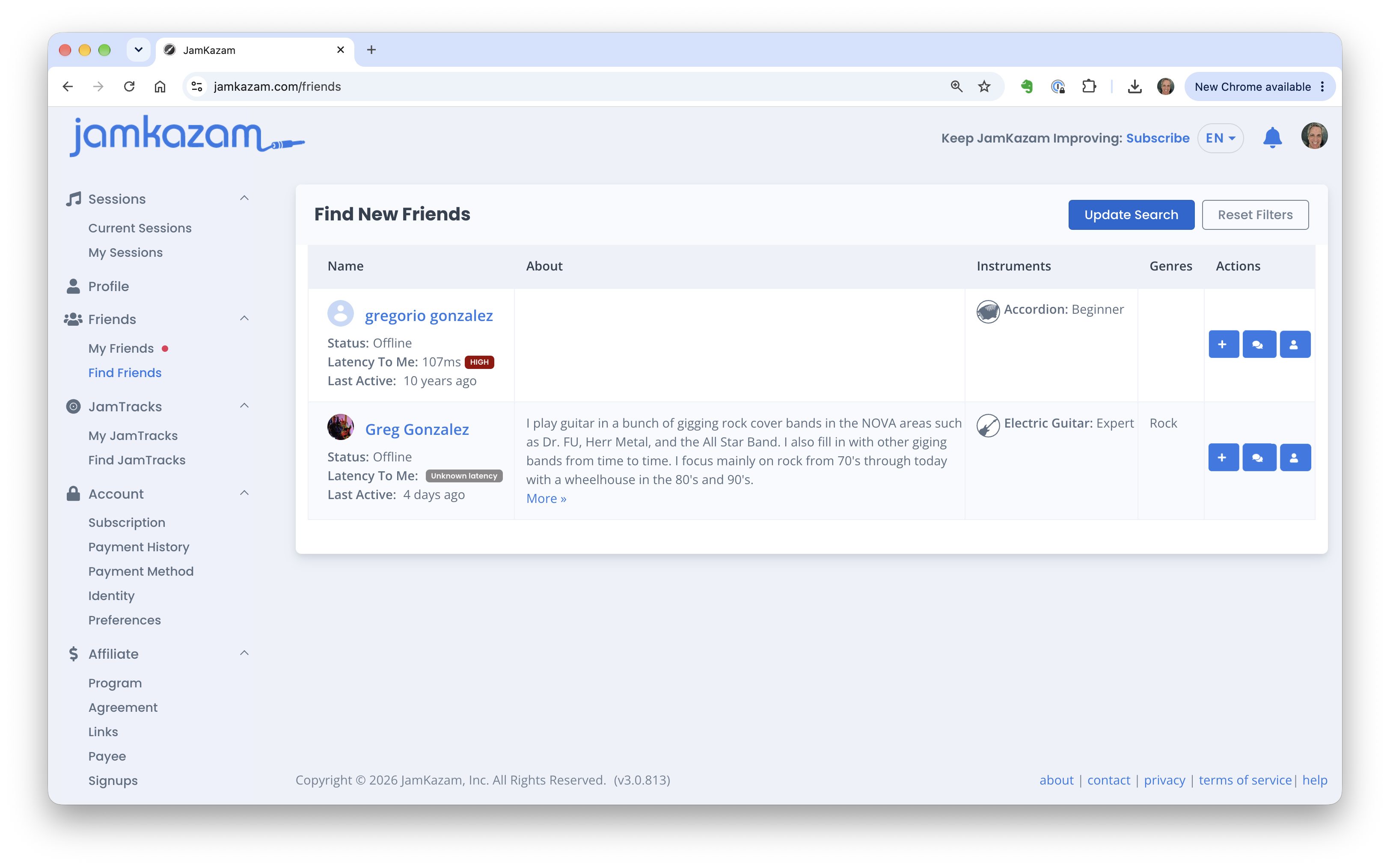
JamKazam community members who match the name you entered are displayed in the search results. If you see the person you're looking for, simply click the blue + button in the Actions column to send them a friend connection request.