
To update your JamKazam preferences, go to https://www.jamkazam.com/account/preferences in your browser, or click the Preferences option under Account in the left navigation bar. The Preferences page is displayed (pictured below).
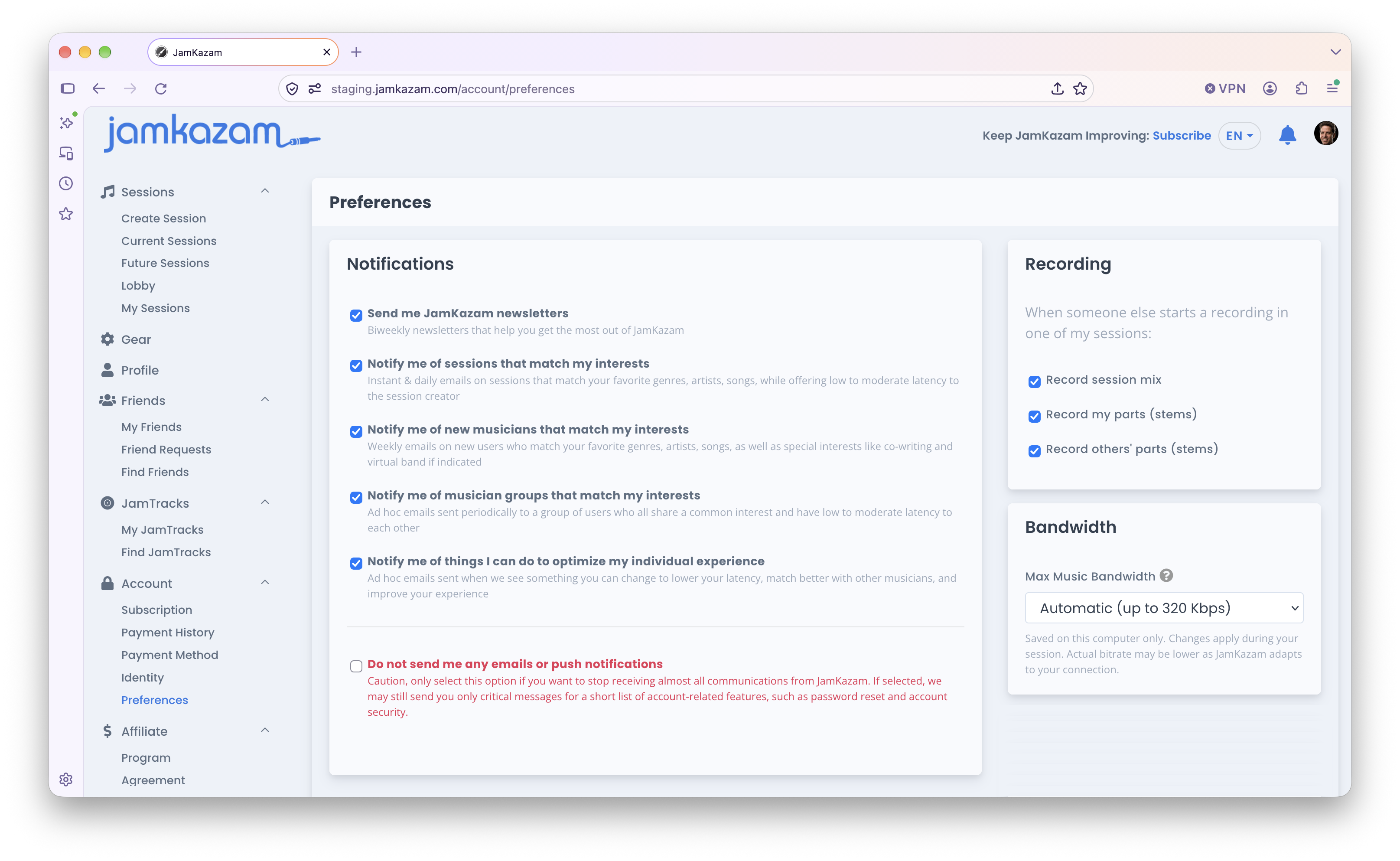
There are currently three preference sets, as follows.
Notification Preferences
The notification preferences are explained pretty well on the page. You can opt into our out of receiving notifications of different types. We strongly recommend leaving these notifications on if you want to connect and play with others - because they are the primary mechanism for helping you accomplish this goal.
The preference in red text at the bottom, if checked, will cause you to stop receiving any/all notifications from JamKazam, so check that one only if you really want to stop all notifications. Note that you may still receive mandatory email notifications from JamKazam in this case, such as a password reset email if you were to initiate a reset. The only way to stop receiving any/all communications entirely from JamKazam is to delete your JamKazam account.
Recording Preferences
When someone else starts a recording in a session you're playing in, what gets recorded by JamKazam on your computer is controlled by your recording preferences. These preferences are set by default to record everything when someone else starts a recording in your session - the session mix (using your own personal mix settings), each of your own tracks as a stem file, and one audio file for each other musician in the session. We recommend you leave these boxes checked if you think you may want to access and use any of these recording files - for example, to listen to the session mix for fun, to listen to your own stems to hear how you did and critique your own performance, or to share your stem files with someone from your band so they can create a high-quality mix/master from the session. However, if you're concerned about conserving space on your hard drive, you certainly can uncheck these boxes to avoid making and saving recordings when others initiate a recording in your online sessions. Note that you can always delete older recording folders from your computer manually.
Bandwidth Preferences
This preference is something you probably won't want or need to update. By default, your streaming bandwidth is set to the maximum value allowed by your subscription. The higher your streaming bandwidth, the better your audio quality in sessions. That said, if your available Internet bandwidth is constrained (especially upload bandwidth, which tends to be less than download bandwidth), it can sometimes be helpful to reduce the bandwidth JamKazam tries to use for your media streams in sessions - to stay more consistently within your available budget and keep things more stable. If you feel like this may apply to you, we'd advise contacting our team at support@jamkazam.com to see if they can help analyze your session stats and advise whether this might be right for you.