
To download and install a Focusrite ASIO driver for your Focusrite audio interface (e.g. a Scarlett Solo, Scarlett 2i2, Scarlett 4i4, etc), start by going here in your browser: https://downloads.focusrite.com/focusrite. You will see the Focusrite downloads page (pictured below).
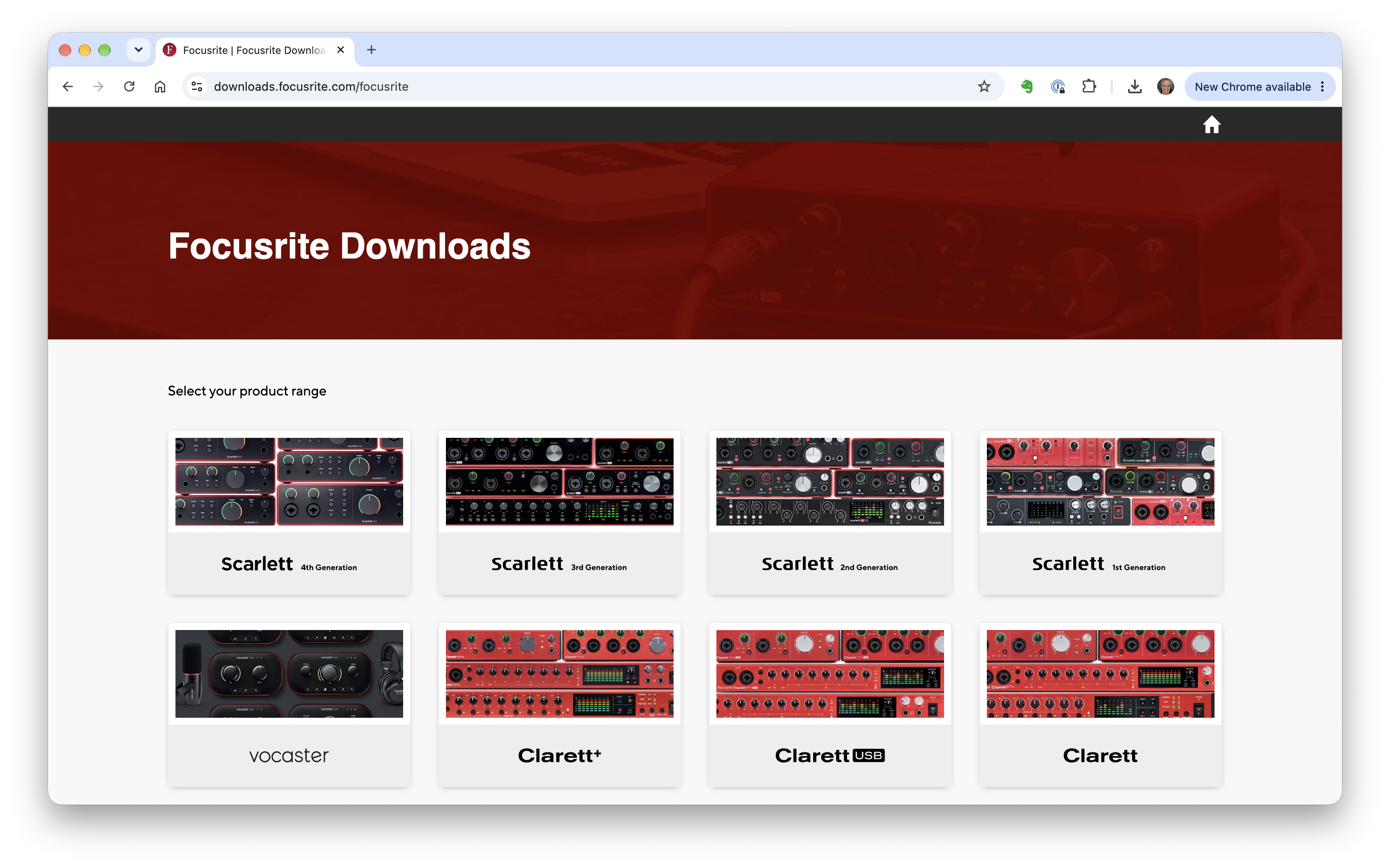
At this point, you need to know two things. First, which audio interface family is your product it? Most likely you have a Scarlett or a Clarett. This is printed on the front of your interface. Second, you need to know which generation your interface is. It's very unlikely you have a first generation Focusrite interface unless you've owned it for more than a decade now, but here's how you can figure this out. Flip your interface over to look at its underside. You should see a white QR code and serial number printed there. The first letter of the serial number will tell you which generation your product is:
- 2nd Generation: Starts with V or W
- 3rd Generation: Starts with D, F, P, or Y
- 4th Generation: Starts with S, T, 0, 1, 2, 4, 6, or 8
Once you've figured this out, click on the product image that fits what you have (e.g. Scarlett 4th Generation or whichever is yours). The product family page for your interface is displayed (example for the Scarlett pictured below).
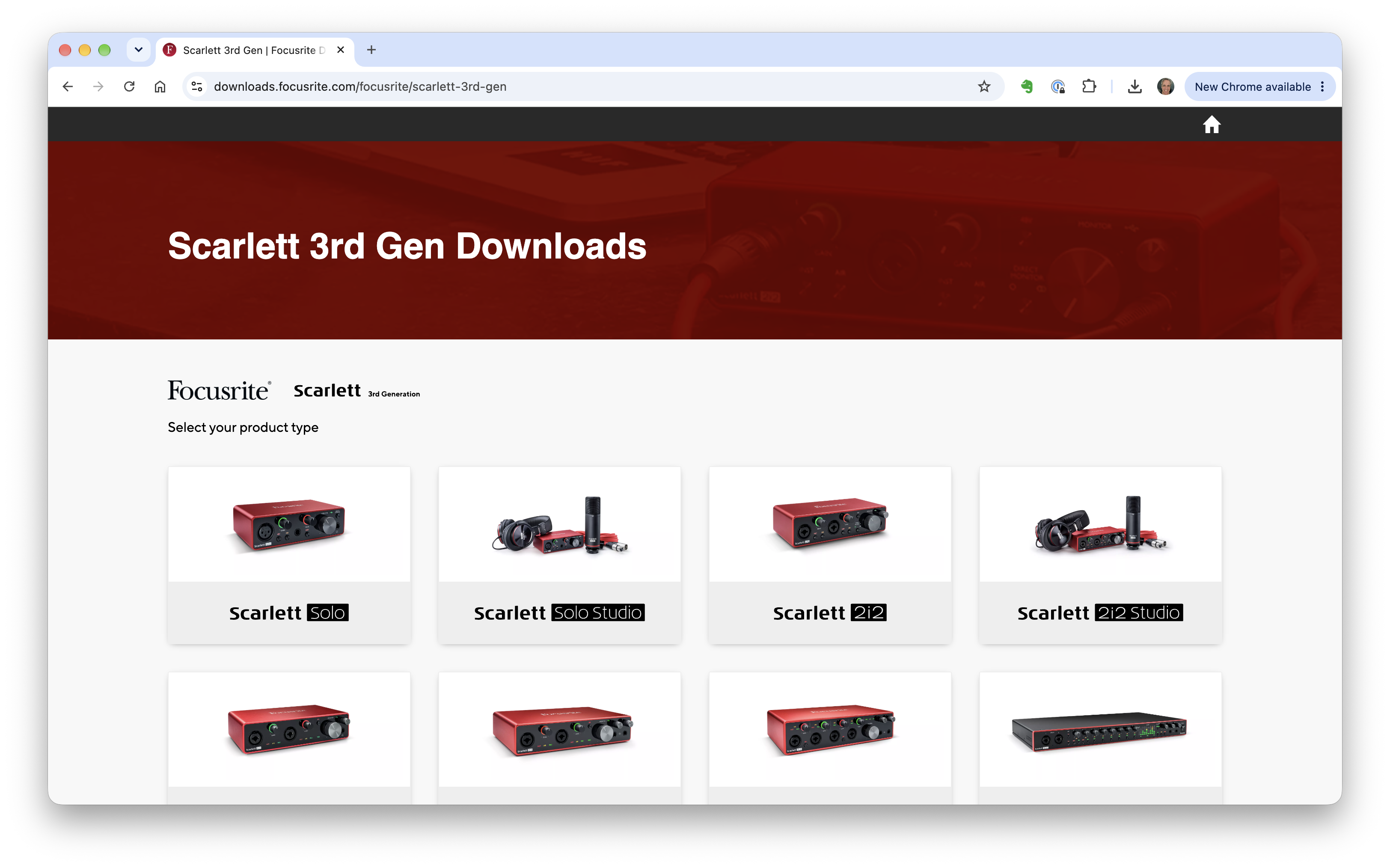
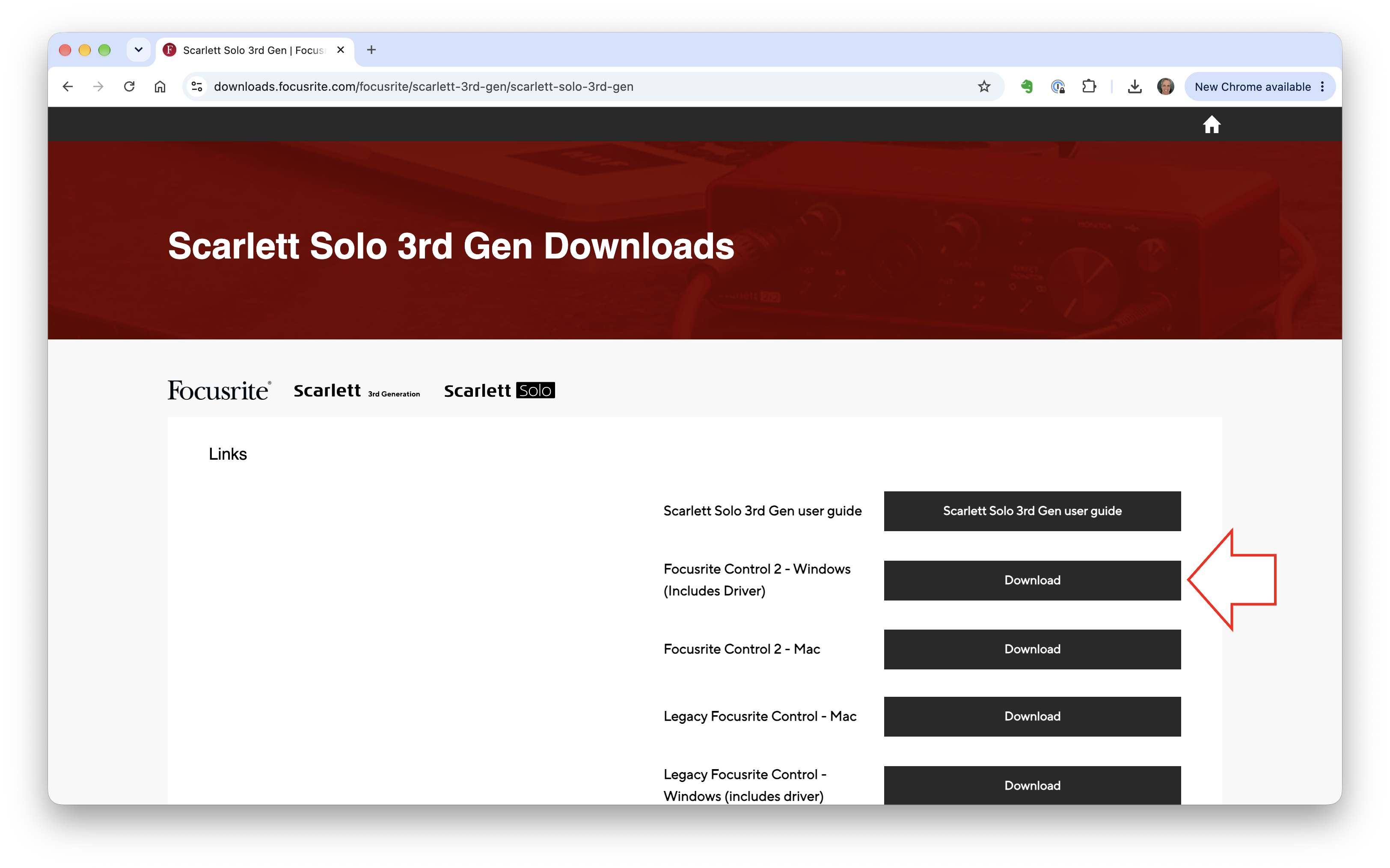
Now click the product image that is your specific interface. The Scarlett Solo and Scarlett 2i2 are the most common Focusrite interfaces used on JamKazam. The download page for your interface is displayed. If you have a 3rd or 4th generation Focusrite interface, click the "Focusrite Control 2 - Windows" Download button (pictured below with arrow). This is a Focusrite app that will install the driver software you need.
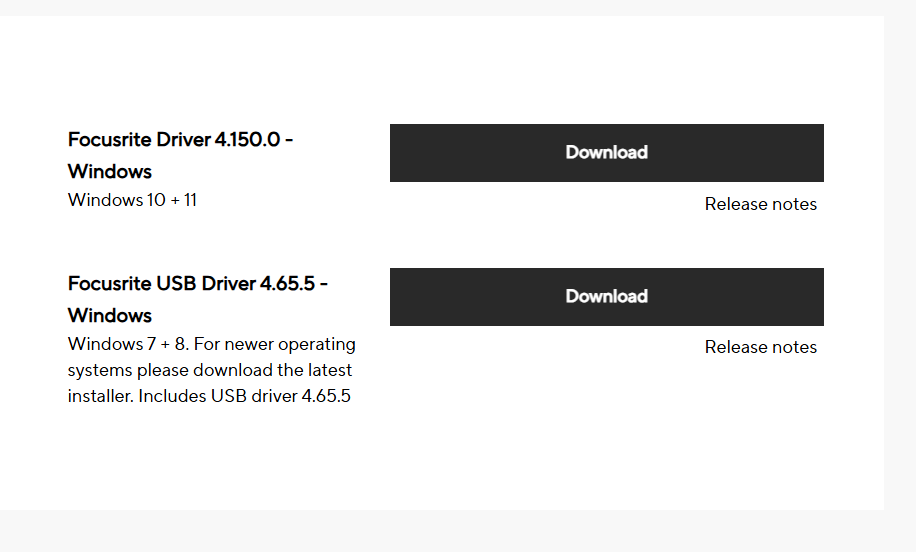
If you have a 1st or 2nd generation interface, you'll instead click a button to download a driver installer. This will look something like the image below. Be sure to download the version built for Windows 10 & 11 (not Windows 7 & 8).
If you have a 3rd or 4th generation interface, double click the Focusrite Control 2 download, and then follow the on-screen instructions to install the driver on your computer.
If you have a 1st or 2nd generation interface, double click the Focusrite Driver download, and then follow the on-screen instructions to install the driver on your computer.
When finished, we advise you restart your computer, and then you'll be ready to set up your audio interface with the JamKazam app.